
Help center · Domains and technical
API and webhooks
Updated on 23 November 2026
The API connects your shop with your own systems, for example a till, accounting software or a CRM. Webhooks report sales and redemptions to your address the moment they happen. Both are included in the Pro and Business plans.
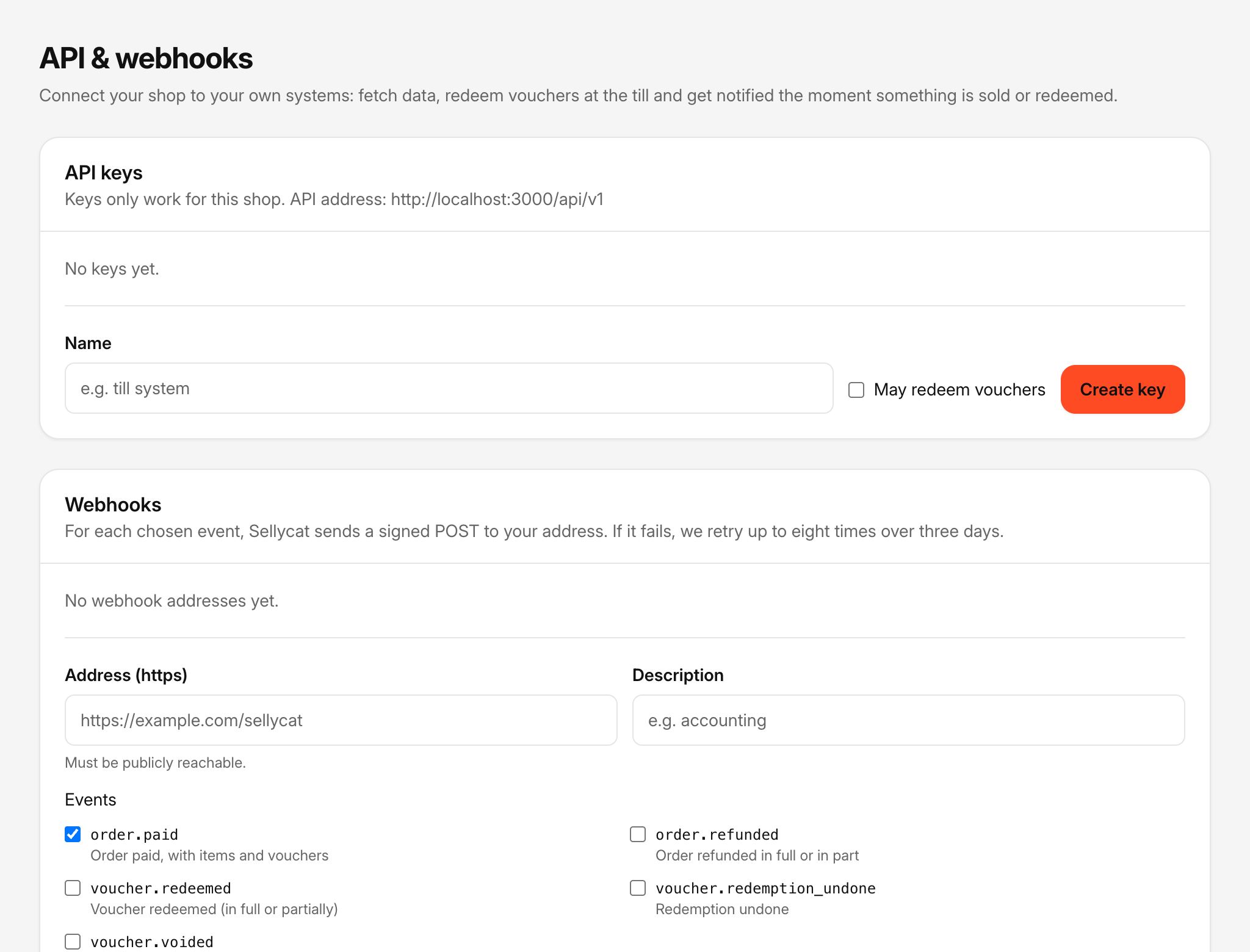
1. Create a key
- Open Settings → API & webhooks. Owners and admins see this page.
- Give the key a name, for example “Till”.
- If the system should redeem vouchers, tick May redeem vouchers.
- Copy the key right away. It is shown only once.
A key works for one shop only. Revoke it when you no longer need it.
2. Send requests
The API lives at https://sellycat.com/api/v1. Send the key in the Authorization header:
curl https://sellycat.com/api/v1 \
  -H "Authorization: Bearer sc_live_…"
Each key may send 120 requests per minute. Amounts are always in cents (2500 = 25.00).
GET /api/v1: the shop and the key's permissions (connection test)GET /api/v1/deals: all deals with status and remaining stock (?archived=trueincludes the archive)GET /api/v1/orders: orders, newest first, with items and vouchers. Filters:status,since,limit(up to 100); further pages withbefore=<next>GET /api/v1/orders/<id or number>: one orderGET /api/v1/vouchers/<code>: one voucher with its redemptionsPOST /api/v1/vouchers/<code>/redeem: redeem a voucher (“Redeem” permission)GET /api/v1/redemptions: redemptions, newest firstGET /api/v1/partners: partners with their redemption locations
3. Redeem vouchers
Without a body the voucher is redeemed in full. For value vouchers with partial redemption, send the amount:
curl -X POST https://sellycat.com/api/v1/vouchers/ABCD-1234/redeem \
  -H "Authorization: Bearer sc_live_…" \
  -H "Content-Type: application/json" \
  -d '{"amount_cents": 1500, "note": "Till 2"}'
location_id (one of the partner's locations) is optional. If the voucher is already redeemed, expired or outside its redemption times, the API answers with status 409 and an error code such as redeemed.
4. Set up webhooks
- Under Webhooks, enter your address. It must start with
https://. - Choose the events:
order.paid,order.refunded,voucher.redeemed,voucher.redemption_undone,voucher.voided. - Choose Send test event. Recent deliveries shows what your address answered.
Sellycat sends a POST with this body:
{
  "id": "…",
  "type": "voucher.redeemed",
  "created_at": "2026-12-02T10:15:00Z",
  "data": { … }
}
Answer with a status from 200 to 299. Otherwise Sellycat retries up to eight times over three days. Use id to recognise duplicate deliveries.
5. Verify the signature
Each delivery carries the header Sellycat-Signature: t=<time>,v1=<signature>. The signature is an HMAC-SHA256 of <t>.<body> with the webhook's signing secret. Example in Node.js:
import { createHmac, timingSafeEqual } from "node:crypto";

function verify(header, body, secret) {
  const parts = Object.fromEntries(header.split(",").map((p) => p.split("=")));
  const expected = createHmac("sha256", secret).update(`${parts.t}.${body}`).digest("hex");
  const fresh = Math.abs(Date.now() / 1000 - Number(parts.t)) < 300;
  return fresh && timingSafeEqual(Buffer.from(expected), Buffer.from(parts.v1));
}
Verify the raw body exactly as received, not re-serialised JSON.
Didn't find what you were looking for?
Contact support