
Help center · Payments and orders
Partner settlements
Updated on 23 November 2026
If you sell vouchers for partners, you owe them their share. Sellycat works it out for you and creates the statement as a PDF. You make the transfer yourself.
1. Switch it on per deal
In the deal under Partner settlement you choose:
- No settlement: the deal does not appear in statements.
- After sale: every sold voucher is settled.
- After redemption: what was redeemed at the partner is settled, partial amounts pro rata.
And the partner's share:
- Commission in %: you keep this share of the price paid, the partner gets the rest.
- Fixed amount per voucher: the partner gets a fixed amount per voucher.
2. The partner's bank details
At the partner under Billing details you enter company name, address and IBAN. They appear on the statement.
3. Create statements
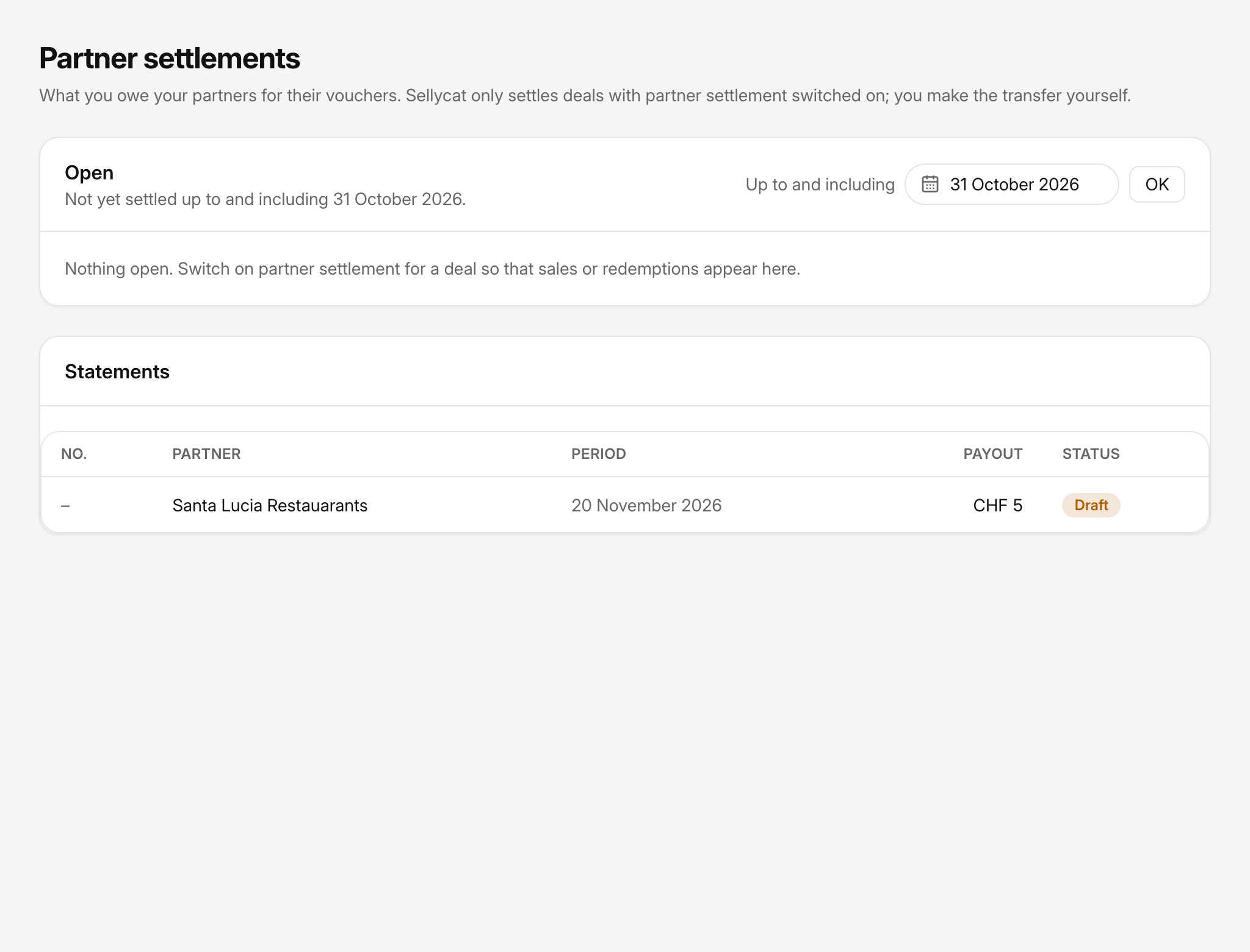
- Open Sales → Settlements.
- Choose the date up to which you settle. The default is the end of last month.
- Choose Create statements. A draft is created per partner.
- Check the draft and choose Finalise. Only then does it get a number and stop changing.
- Download the PDF or email it to the partner. After the transfer, mark it as paid.
Was this article helpful?
Didn't find what you were looking for?
Contact support