
Voucher PDF and wallet
Updated on 23 November 2026
Buyers receive their vouchers by email, as a PDF to print and, if they like, in Apple Wallet or Google Wallet.
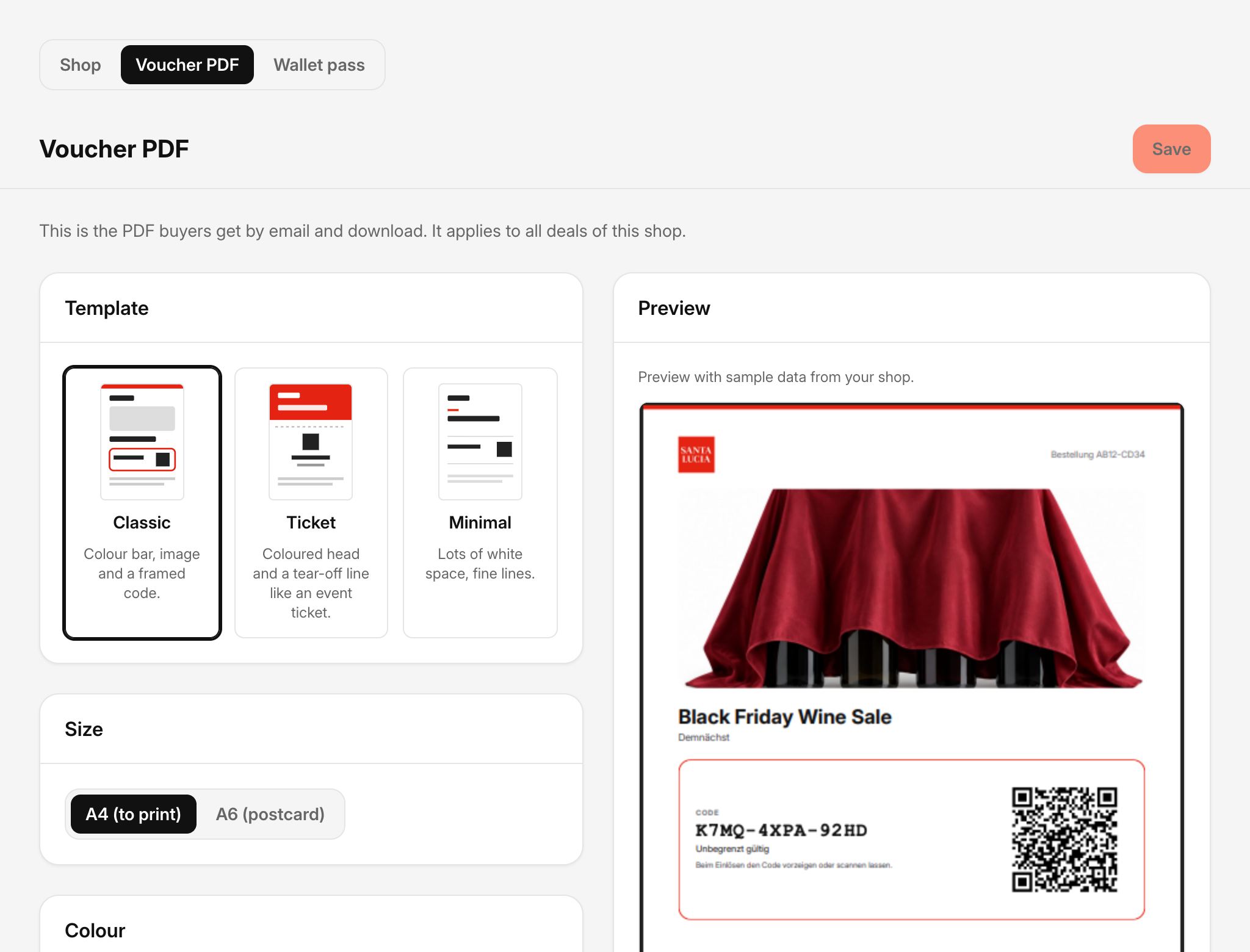
PDF template
- Open Design and then Voucher PDF.
- Choose a template: Classic, Ticket or Minimal, in A4 or A6.
- Choose the colour and whether image, redemption locations and conditions appear.
The preview shows a sample voucher with data from your shop. QR codes and logos are printed as vectors and stay sharp on paper.
Wallet
Under Design → Wallet you design the card for Apple Wallet and Google Wallet. When a voucher changes, for example after a redemption, the card on the buyer's phone updates automatically.
Was this article helpful?
Didn't find what you were looking for?
Contact support