
Help center · Team and account
Invite your team and roles
Updated on 23 November 2026
Work on the shop with colleagues, each person with their own login.
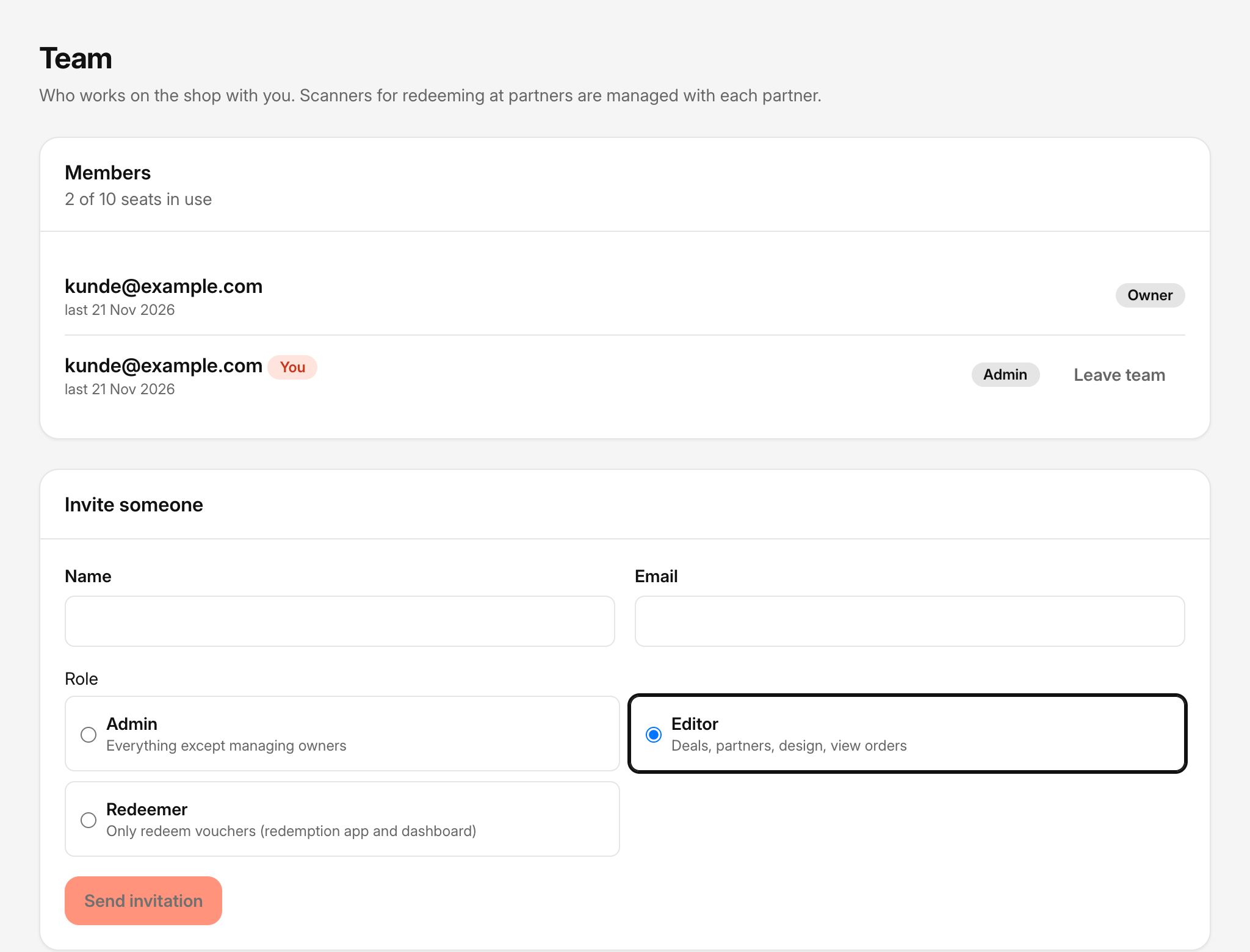
Invite someone
- Open Team.
- Enter name, email and role and choose Invite.
- The person receives an email with a link valid for 14 days. New people choose a password there; those who already have an account sign in.
Roles
- Owner: everything, including plan, payments and other owners.
- Admin: everything except managing owners.
- Editor: deals, partners, design and orders.
- Redeemer: only redeem vouchers.
Each role only sees in the menu what it may open.
Seats
How many people can be on the team depends on your plan. Open invitations count too. Partners' scanners need no seat.
Was this article helpful?
Didn't find what you were looking for?
Contact support