
Help center · Deals and partners
Create a deal
Updated on 23 November 2026
A deal is an offer in your shop, for example a value voucher or a menu at a special price.
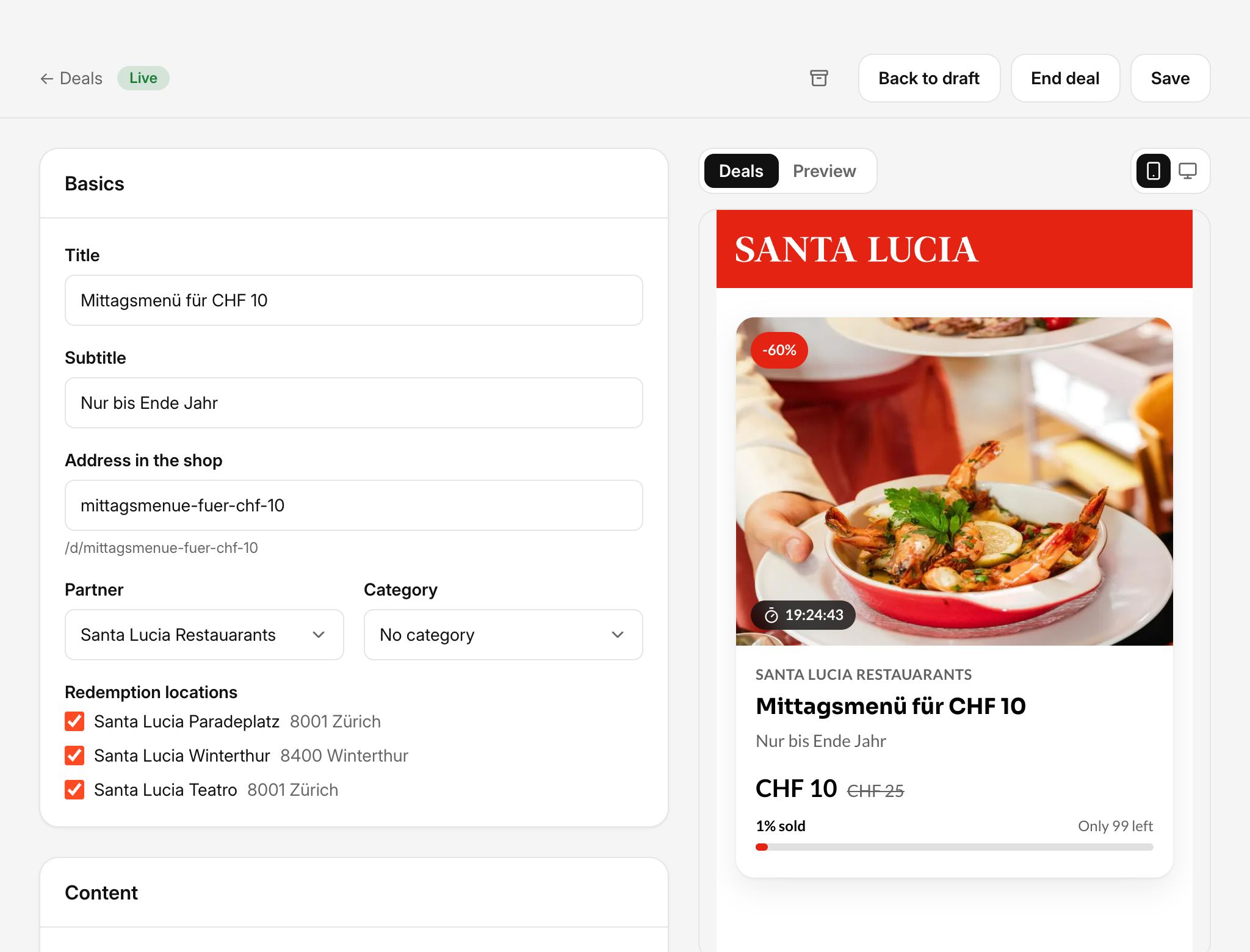
Create the deal
- Open Deals and choose New deal.
- Enter title, price and, if there is one, the regular price. The shop shows the saving automatically.
- Choose the partner where the voucher is redeemed.
- Write the description, conditions and frequently asked questions.
- Upload images. The first image is the cover.
Quantity and sales window
- Quantity: how many vouchers there are in total. When everything is sold, the shop shows “sold out”.
- Sales period: before the start the deal is “scheduled”, afterwards “ended”.
- Validity: until when the voucher can be redeemed.
Publish
Publish puts the deal live. Your legal texts must be complete for this. Highlight as top deal puts it at the very top of your shop.
Was this article helpful?
Didn't find what you were looking for?
Contact support